Study · Wrong-answer notes
큐핏
Qpeat
Wipe the pencil marks off the page. Solve it fresh.
Photograph a page of your workbook and Qpeat reads it back as clean questions — the answers you circled and the notes you scribbled are gone, so the page is worth solving again. Sort what you collect into folders and tags, then practice exactly the set you pick: only the ones you got wrong, only the ones you have not tried yet. Stuck on one? An AI explanation sits right beside the question, and any set can be printed as your own paper test. Solving runs on the device, so the subway works too.
Choose the word that best completes the sentence.
112. The quarterly report must be submitted ------- Friday at noon.
- (A) until
- (B) by
- (C) within
- (D) since
The same question in Qpeat
The quarterly report must be submitted Friday at noon.
Pick an answer
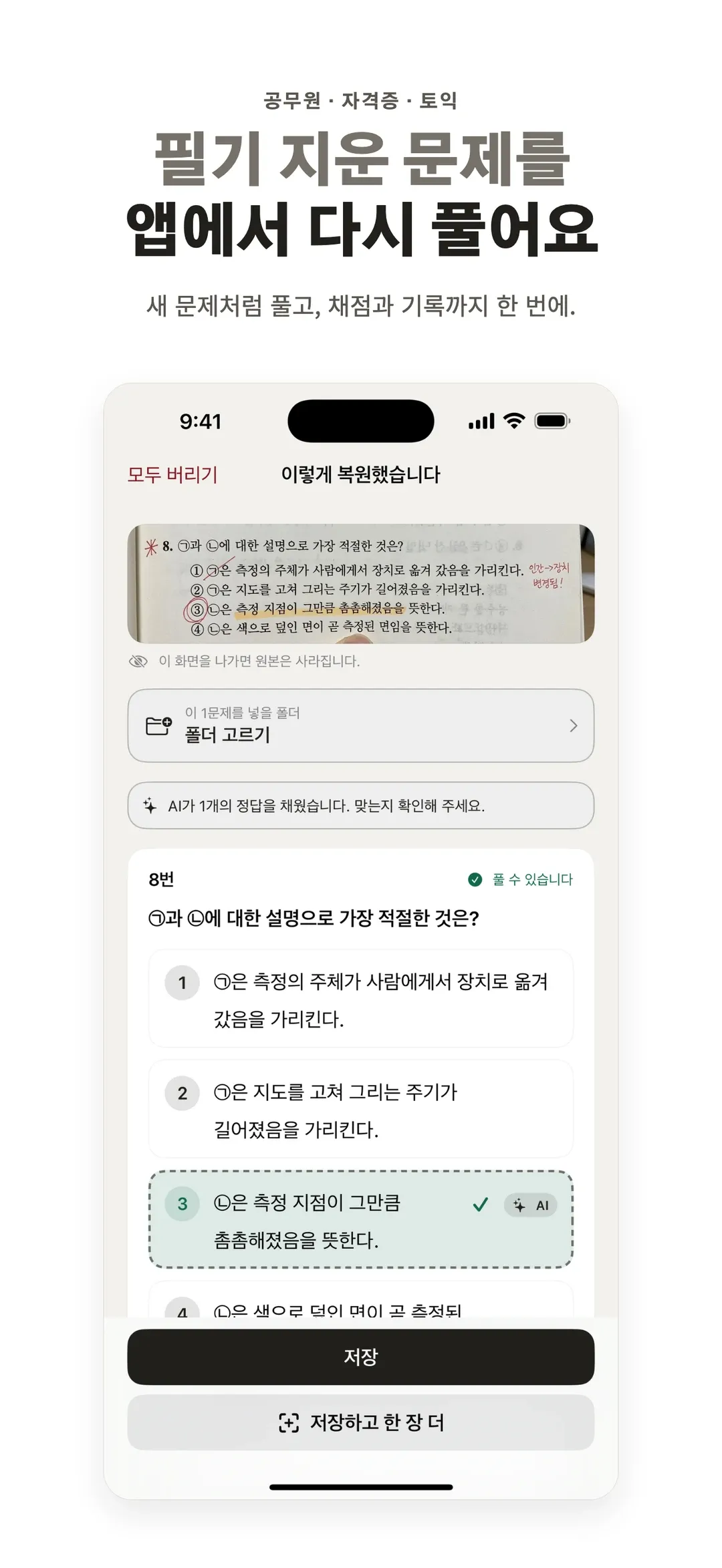
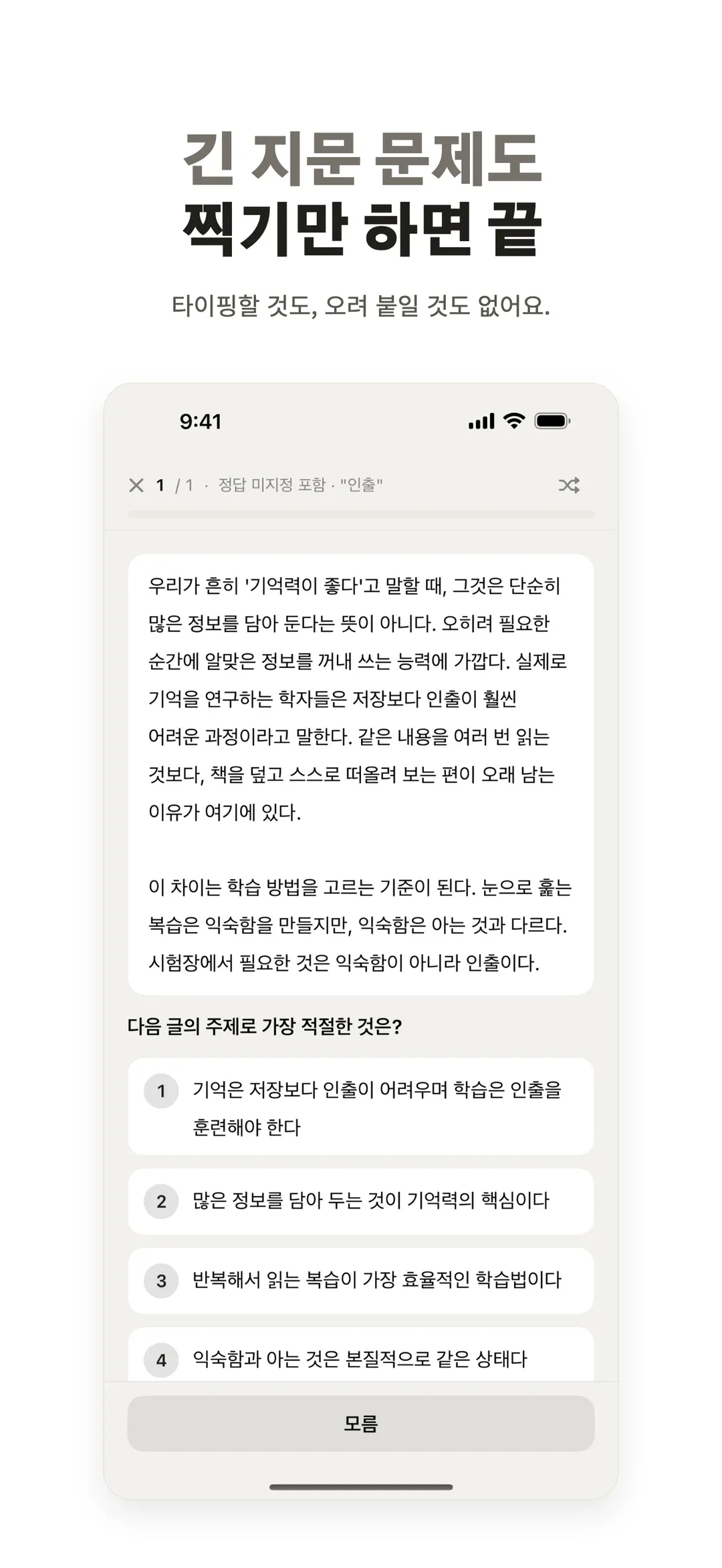
The circle you drew and the note in the margin come off. The question is set again as text, so it reads like the first time you saw it.
From the App Store listing
Highlights
The marks are gone, not painted over
Photograph a page you already worked through and Qpeat sets the questions again as text, so the circled answer and your scribbled solution are not there to give it away.
The page keeps its shape
Long reading sets and five-choice questions come in with their structure intact, furigana included. Graphs and illustrations that only work as pictures are cropped from your photo and left exactly where they belong.
Practice the set you actually pick
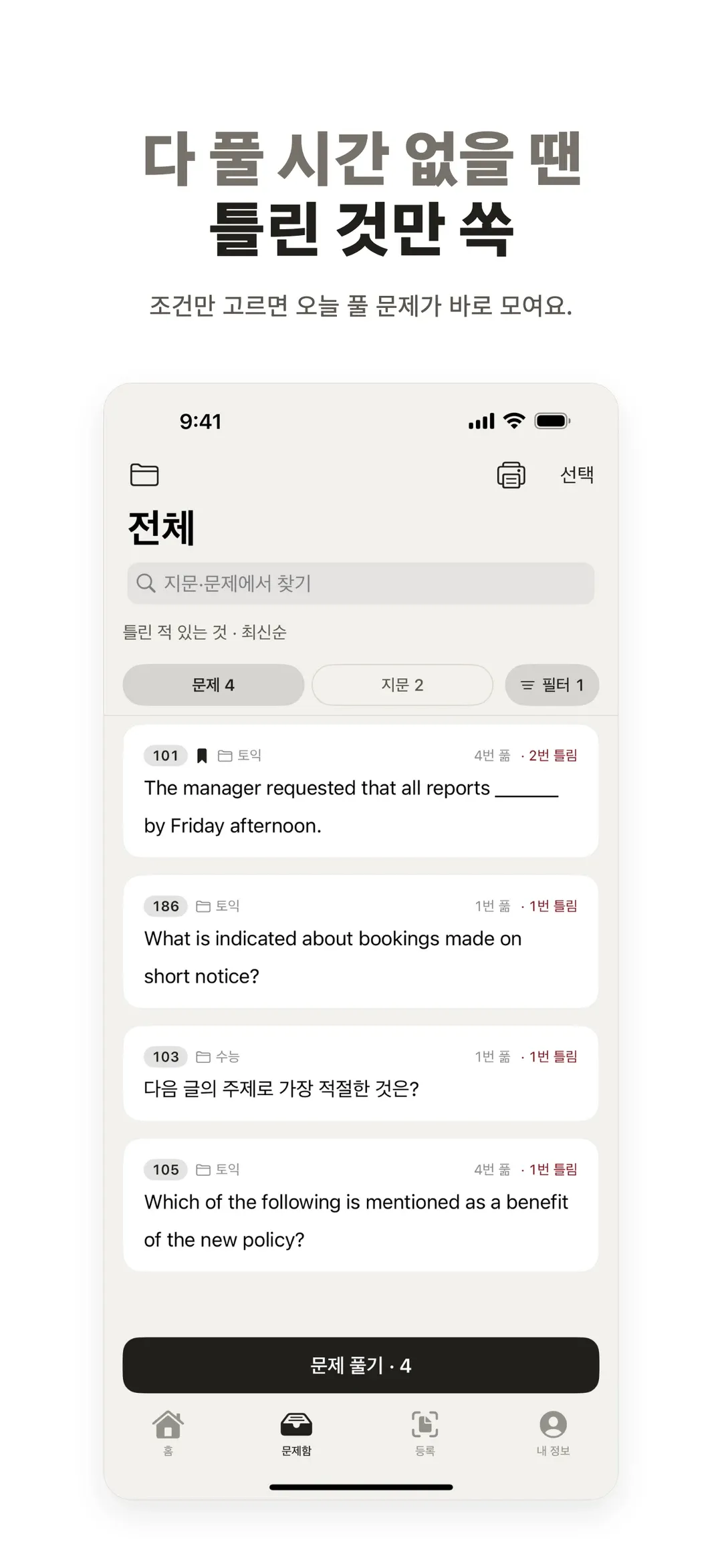
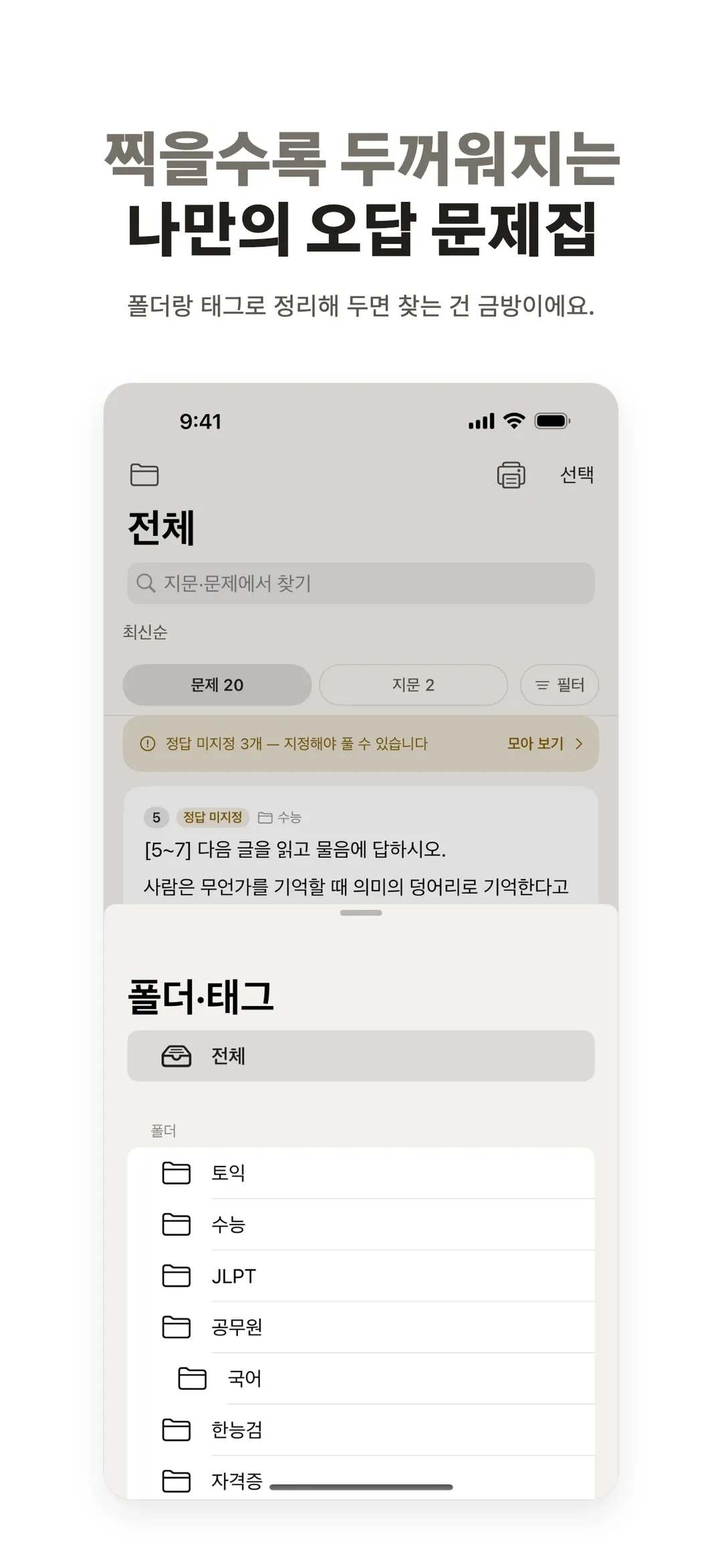
Folders hold subjects and topics, tags handle everything finer. Then choose a condition — only the ones you got wrong, only the untried, only your bookmarks — and that set is ready to solve.
Ask the moment you get stuck
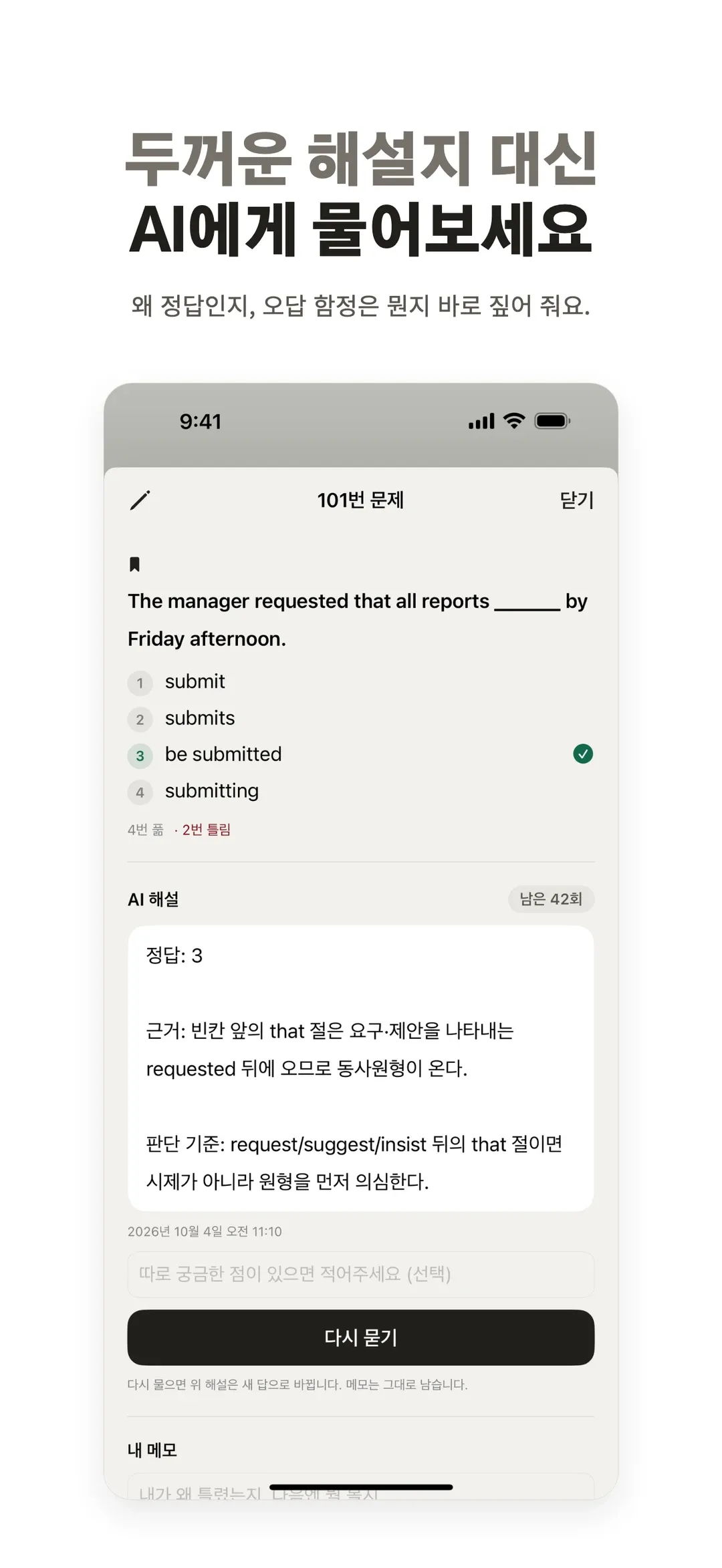
No flipping to an answer key. An AI explanation sits beside the question and walks through why that choice is right and why the others are not.
Print it when you want paper
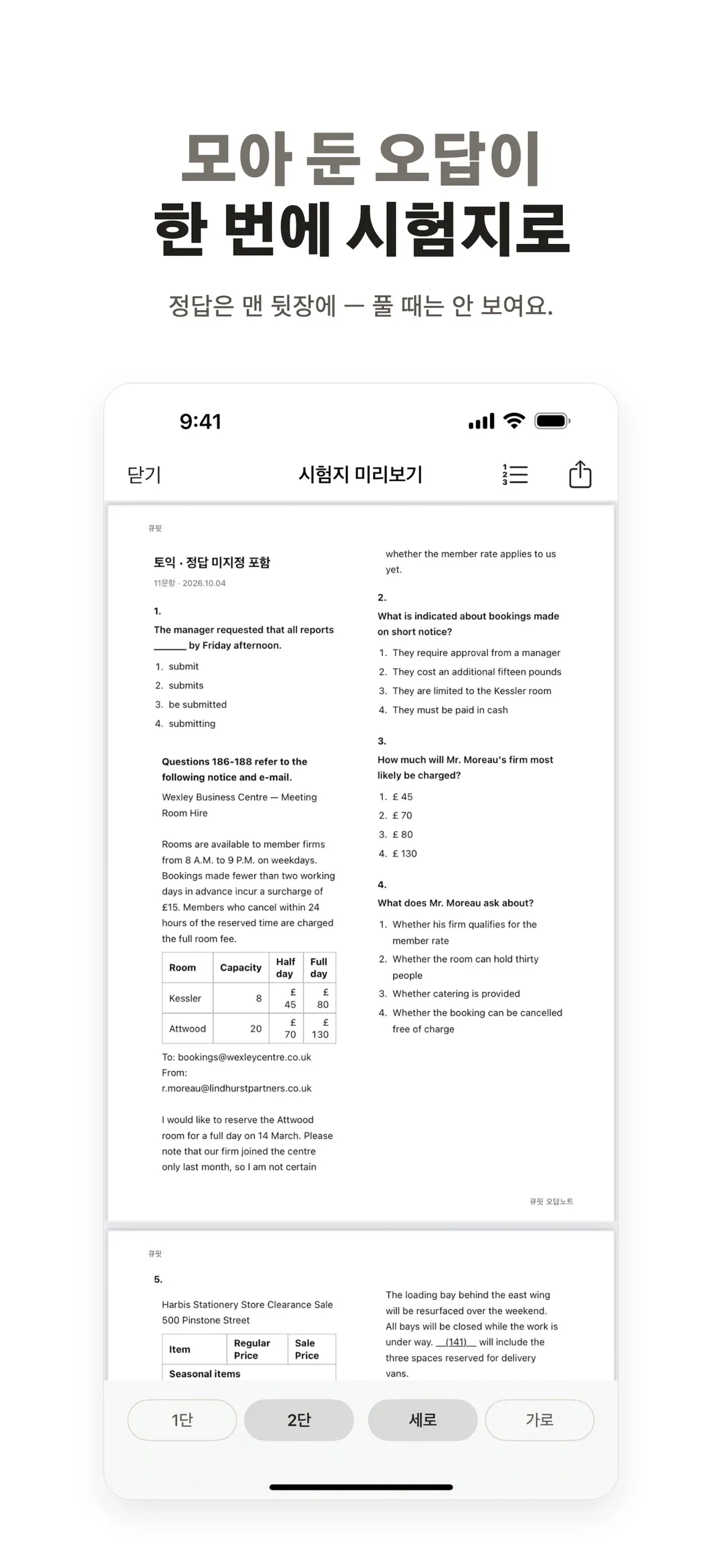
Any set exports as a clean test paper. Answers and explanations print at the back, so nothing shows through while you work.
Works underground
The network is only needed while a question is being read in. Solving runs on the device, and your iPhone and iPad stay in step through your Apple Account.
FAQ
- Is Qpeat free?
- You get 10 questions read in and 50 AI explanations at no cost. Qpeat Pro raises the monthly allowance to 400 questions if you scan a lot.
- Does “wiping the marks” mean it retouches the photo?
- No. It reads the page and typesets the question again, so what you get is clean text rather than a filtered image — that is why the page is worth solving a second time.
- Which exams is it for?
- Paper-workbook exams: TOEIC, JLPT, civil-service and professional licensing tests. It earns its keep on past papers and mock tests you have already been through once.
- What about questions built on a picture?
- Tables and simple diagrams become text; graphs and illustrations are cropped from your photo and kept in place. A question whose whole task is describing an image still needs the original page.
- What if a question runs across two pages?
- Photograph the next page and tap to continue. Qpeat reads only the missing part and attaches it to the cut-off question, whether it is the rest of the choices or the passage.
- Can it remind me to practice?
- Yes. Pick a time and you get one reminder a day: yesterday’s saved questions to solve again, or a nudge to tidy your wrong-answer notes when there are none. You can turn it off in settings.
- Is the app available in English?
- Not yet. The interface is Korean only and the listing is on the Korean App Store, so localizing the app comes before an English release.
Wipe the pencil marks off the page. Solve it fresh.
Free
Found a bug or want a feature? Email me — I’ll do my best to get it into the next release.